Markdown
The one-page reference for the text you write in READMEs, Quarto reports and notebooks
What Markdown is
Markdown is a way to format plain text so that it stays easy to read as text and can also be turned into HTML, PDF or slides. GitHub shows README.md files as formatted pages; Quarto and Jupyter use Markdown for all their text. This whole course is written in Markdown.
# A header

A [link](http://example.com).

## A sub-header

Text attributes _italic_, *italic*,
**bold**, `monospace`.

### A deeper sub-header

Bullet list:

  - Apples
  - Oranges
  - Pears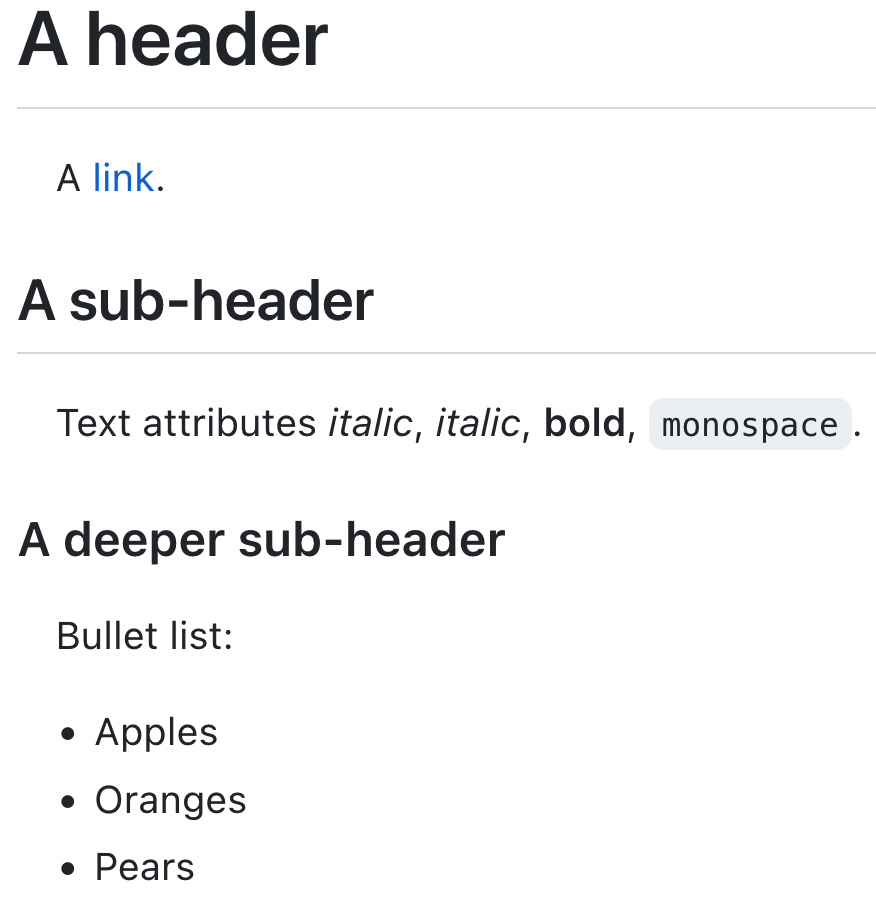
The basics
# Heading 1
## Heading 2
### Heading 3
Plain text. A blank line starts a new paragraph.
*italic* or _italic_, **bold**, `inline code`, ~~struck through~~
- a bullet
- another bullet
- indented two spaces: a sub-bullet
1. numbered
2. list
[a link](https://quarto.org) and a bare URL: <https://quarto.org>

> A quotation.
```bash
pixi run reproduce
```Some rules that save time:
- Leave a blank line before lists, code blocks, tables and headings.
- A line break inside a paragraph is ignored; use a blank line for a new paragraph.
- Use one
#heading per document (the title); start sections at##. - Always write alt text for images: describe what the image shows, not just “figure”.
- Give code blocks a language (
bash,python,yaml) for colours and copy buttons.
Tables
| Sample     | Generation | Variants |
|------------|-----------:|---------:|
| SRR2589044 |      5,000 |       10 |
| SRR2584866 |     50,000 |      775 |
The colons in the second line align columns (---: right, :---: centre). For tables made from data, let code make them (lesson 07): typed tables go out of date.
What Quarto adds
::: {.callout-note}
A box that draws attention. Also callout-tip, -warning, -important.
:::

See @fig-quality and @tbl-reads.        <!-- cross-references to labelled cells -->

As shown by @tenaillon2016.             <!-- citation from references.bib -->

The mean is `{python} round(mean, 1)`.  <!-- inline code, computed at render -->
Cross-references need labels that start with fig- or tbl-; citations need a bibliography: in the document header (lesson 07).
Check your Markdown
Turn a small file into HTML to see what readers will see. Quarto uses Pandoc to read Markdown; running Pandoc directly is the quickest check:
markdown-test.md
# Test

Some *italic* and **bold** text, and a list:

- one
- two

| a | b |
|---|---|
| 1 | 2 |
pixi exec pandoc markdown-test.md -o markdown-test.html
cat markdown-test.htmlThe blank line before a list
Remove the blank line before the list and render again: the list becomes part of the paragraph. Most “Markdown does not work” problems are a missing blank line. (GitHub’s Markdown is more forgiving here, so a README can look fine on GitHub and break when Quarto renders it: always leave the blank line.)
markdown-test.md
# Test
Some text, then a list without a blank line before it:
- one
- two
pixi exec pandoc markdown-test.md -o markdown-test.html
grep -c "<li>" markdown-test.html || echo "no list items: the list became plain text"
rm -f markdown-test.md markdown-test.htmlFurther reading
- Cheat sheet: Markdown, with links to the official cheat sheets and references.
- Markdown Guide: https://www.markdownguide.org/
- Quarto, Markdown basics: https://quarto.org/docs/authoring/markdown-basics.html
- GitHub, Basic writing and formatting syntax: https://docs.github.com/en/get-started/writing-on-github/getting-started-with-writing-and-formatting-on-github/basic-writing-and-formatting-syntax