Workflows with Snakemake
CBIO7501 · Lesson 09
Today you will
- describe the LTEE pipeline as rules from inputs to outputs
- let Snakemake decide what to run, in which order, and what is out of date
- move samples and settings out of the code
- show that the workflow reproduces the shell script exactly
What a shell script cannot do
- Change the last step → everything reruns
- A step fails on sample 3 → start again
- New sample → edit the loop
- One sample at a time, even on 16 cores
Why workflow managers?
As a project grows, or just ages, it gets hard to remember which step made which file, from what, with which settings.
A workflow manager keeps track for you, and lets you scale up in complexity (more steps) and in size (more samples).
Reproducible…
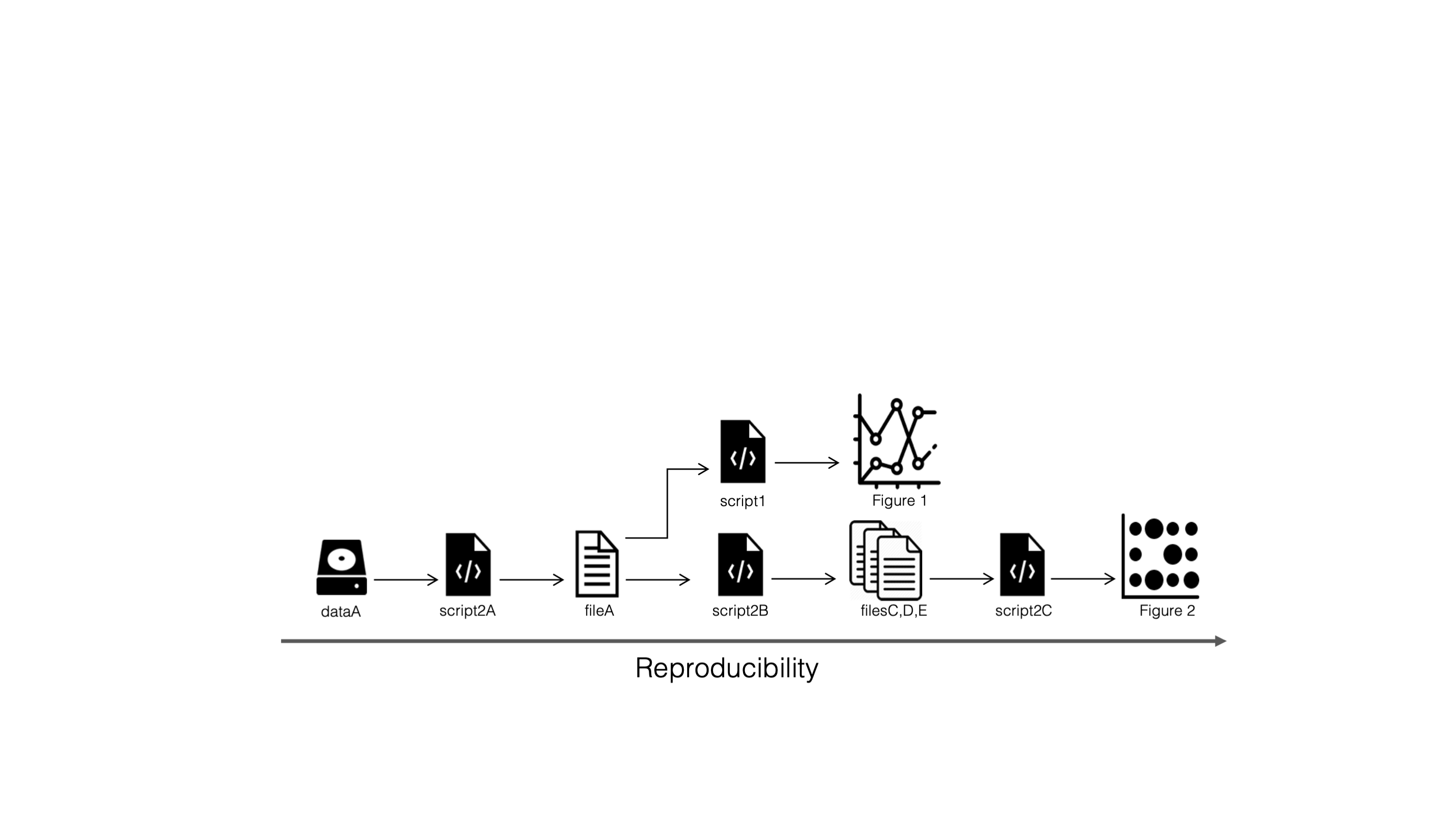
Figure: NBIS, Tools for Reproducible Research, CC BY 4.0
…and scalable
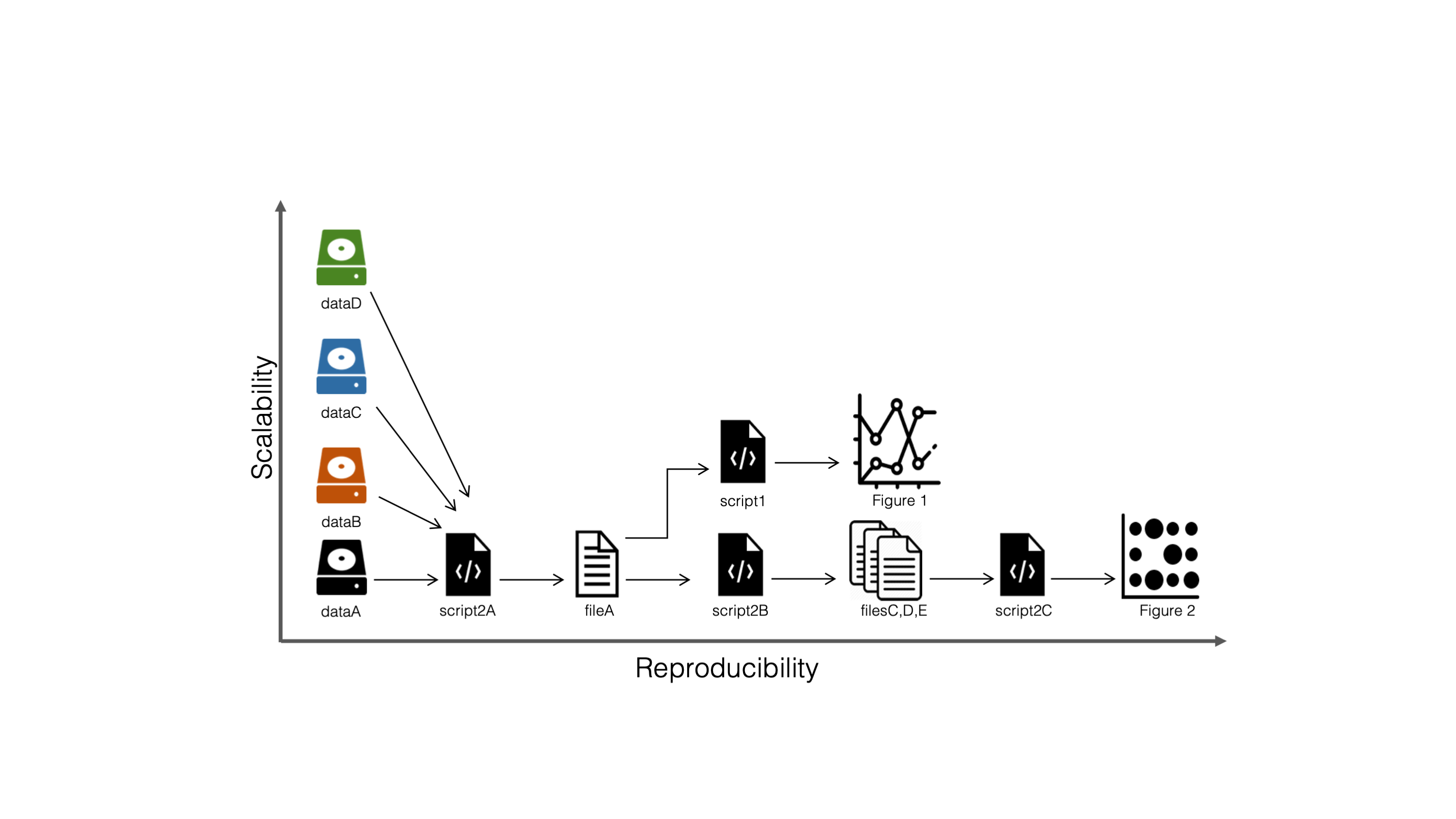
Figure: NBIS, Tools for Reproducible Research, CC BY 4.0
Workflow managers in bioinformatics
Most used
- Snakemake: Python-like rules, built on file names (this lesson)
- Nextflow: Groovy, processes connected by channels (lesson 10)
Also around
- Make: the original, since 1976
- CWL and WDL: standard workflow languages
- Galaxy: workflows in a web interface
The Snakemake mindset
From the Snakemake documentation:
A Snakemake workflow is defined by specifying rules in a Snakefile.
Rules decompose the workflow into small steps.
Snakemake automatically determines the dependencies between the rules by matching file names.
Rules connect through file names
Ask for results/vcf/SRR2584866_final_variants.vcf: Snakemake finds the rules whose outputs match, all the way back to the raw reads.
Targets: what you ask for
- Rules only say what can be made
- The files you want (the targets) decide which rules run
- Without a target, Snakemake builds the default rule, by convention
all:
The job graph
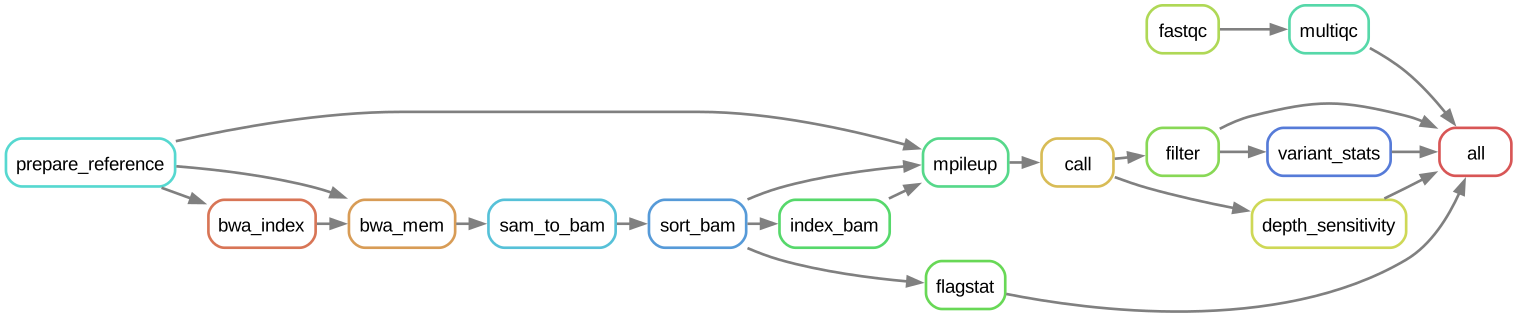
Anatomy of a rule
rule bwa_mem:
    input:
        genome=GENOME,
        index=rules.bwa_index.output,
        r1=lambda wc: SAMPLES[wc.sample]["fastq_1"],
        r2=lambda wc: SAMPLES[wc.sample]["fastq_2"],
    output:
        temp("results/sam/{sample}.aligned.sam"),
    log:
        "results/logs/bwa_mem/{sample}.log",
    threads: 4
    params:
        extra=config["bwa_extra"] or "",
    shell:
        "bwa mem -t {threads} {params.extra} "
        "{input.genome} {input.r1} {input.r2} "
"> {output} 2> {log}"- input, output: files, with a
{sample}wildcard temp(): deleted once no longer needed- log: a paper trail for every job
- threads,
resources:: what a job may use - params: settings, here from the config file
- shell: the command, filled in from the rest
Software for each rule
We run every rule in one Pixi environment. Snakemake can also give each rule its own:
Useful when two tools cannot share one environment.
What makes a job rerun?
| Trigger | Example |
|---|---|
| output missing | you deleted results/vcf/ |
| input newer than output (mtime) | new FASTQ |
params changed |
min_depth: 2 → 10 in the config |
rule code changed |
edited the shell: command |
| software environment changed | (per-rule conda:/container:) |
snakemake -n shows the plan and the reason for every job.
Settings and samples out of the code
Snakemake on the command line
| Command | Does |
|---|---|
snakemake -n -p |
dry run: the plan, with the shell commands |
snakemake -c 4 |
run, with up to 4 cores |
snakemake -c 4 results/vcf/SRR2584866_final_variants.vcf |
build one target only |
snakemake --configfile other.yaml -c 4 |
another settings file |
snakemake --rulegraph |
the graph of rules, for Graphviz |
In this course, prefix them with pixi run -e pipeline.
Think, pair, share
3 minutes. You change min_depth from 2 to 10. Which of the 40 jobs will Snakemake rerun? Which would the shell script rerun?
Same steps, same answer?
- Shell script vs Snakemake: identical variant calls
- Snakemake vs Nextflow (lesson 10): identical
bwa memwith 4 threads and no-K: 4 records differ for one sample
Reproducible ≠ automatic: know your tools’ sources of variation.
Quiz
- How does Snakemake decide the order of jobs? (a) order of rules in the file (b) from file names linking outputs to inputs (c) alphabetically
- What does
snakemake -ndo? (a) runs with n cores (b) shows the plan without running (c) deletes outputs - Where should the minimum depth threshold live? (a) in the shell command (b) in
config/config.yaml(c) in the sample sheet
Recap
- Rules + file names → job graph; ask for targets
- Only what is missing or outdated reruns (
-nshows why) - Config and sample sheet keep settings and samples out of the code
- One Pixi environment, launched with
pixi run snakemake
Now: tutorial 09.
Sources
- Tools for Reproducible Research, NBIS. CC BY 4.0. https://nbisweden.github.io/workshop-reproducible-research/
- Week 1 slides 66 and 67 (‘the best documentation is automation’; Make, Snakemake, Nextflow, WDL) are the opener.
- Mölder F et al. (2021). Sustainable data analysis with Snakemake. F1000Research 10:33. https://doi.org/10.12688/f1000research.29032.3
- Snakemake documentation: https://snakemake.readthedocs.io/; quotes from ‘Basics: an example workflow’: https://snakemake.readthedocs.io/en/stable/tutorial/basics.html
- Figures ‘Reproducible…’ and ‘…and scalable’: NBIS, Tools for Reproducible Research, CC BY 4.0. Rule graph: our LTEE workflow (
snakemake --rulegraph, drawn left to right), CC BY 4.0.
Text and slides CC BY 4.0 unless marked otherwise. Full list: Sources and credits.
CBIO7501: The Art of Reproducible Research - CC BY 4.0