Literate programming with Quarto
CBIO7501 · Lesson 07
Today you will
- turn the LTEE data into a report that rebuilds itself
- compute every number, table and figure when the report renders
- change a report with parameters and formats, not edits
The copy-paste problem
analysis.py ──► results.csv ──► (copy) ──► Figure 2 in report.docx
                                  ▲
            data changes ─────────┘   the report does not notice
Which version of the data made Figure 2? Nobody knows.
Literate programming
“Let us concentrate rather on explaining to human beings what we want a computer to do.” — Donald Knuth, 1984
- Text and code in one document
- The document is rendered by running the code
- The output is always in sync with the code and the data
Quarto connects code with results
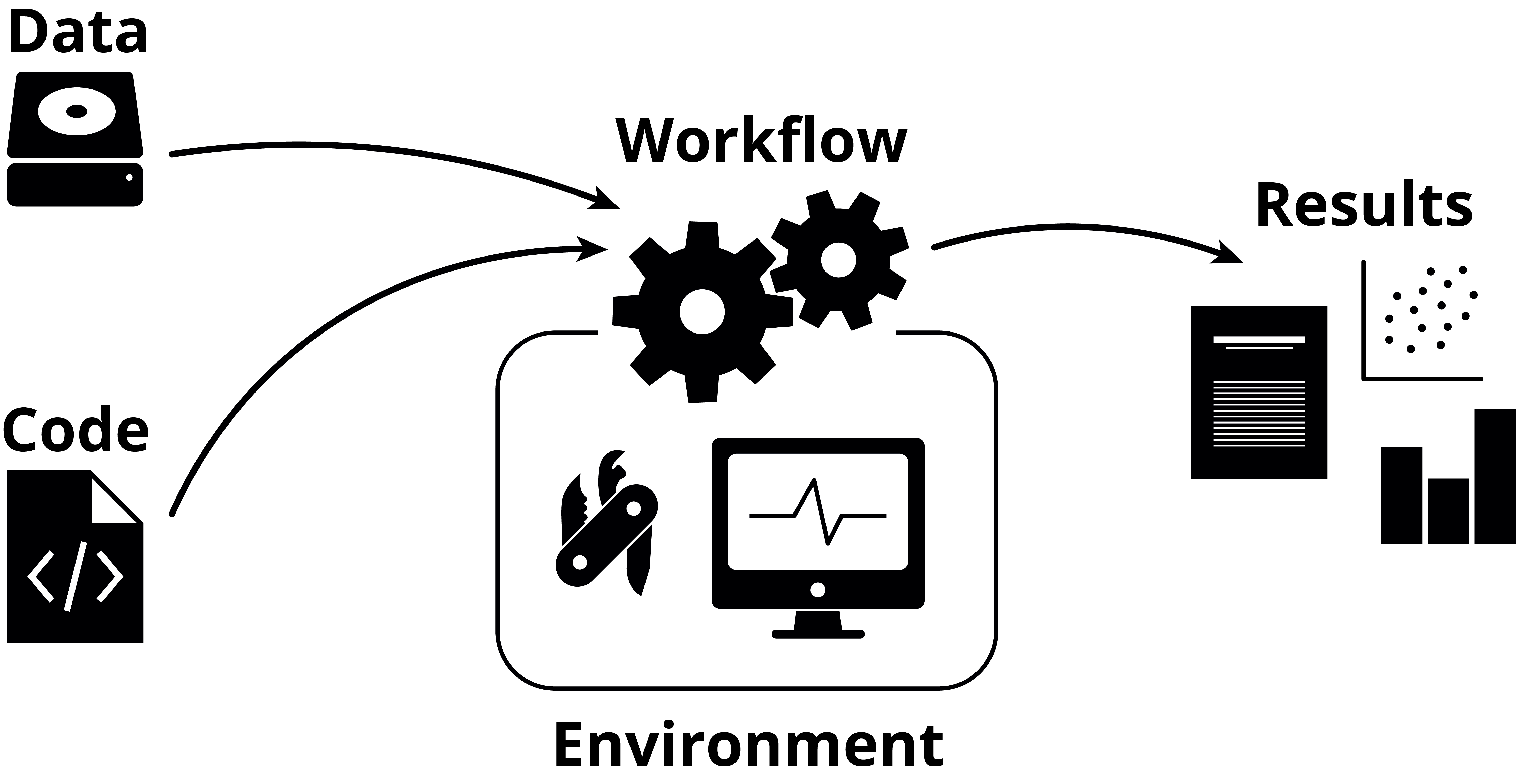
Figure: NBIS, Tools for Reproducible Research, CC BY 4.0
A Quarto document holds the code and the text about its results, and makes the results by running the code.
Quarto in one picture
ltee-report.qmd ──quarto render──► runs Python ──► ltee-report.html
  text (Markdown)                   (fresh session,   ltee-report.pdf
  code cells                         top to bottom)   slides, Word, websites
  settings (YAML)
This website and these slides are Quarto documents too.
What a cell looks like
Cell options (#|) · numbered, cross-referenced tables and figures · inline values
Source and result
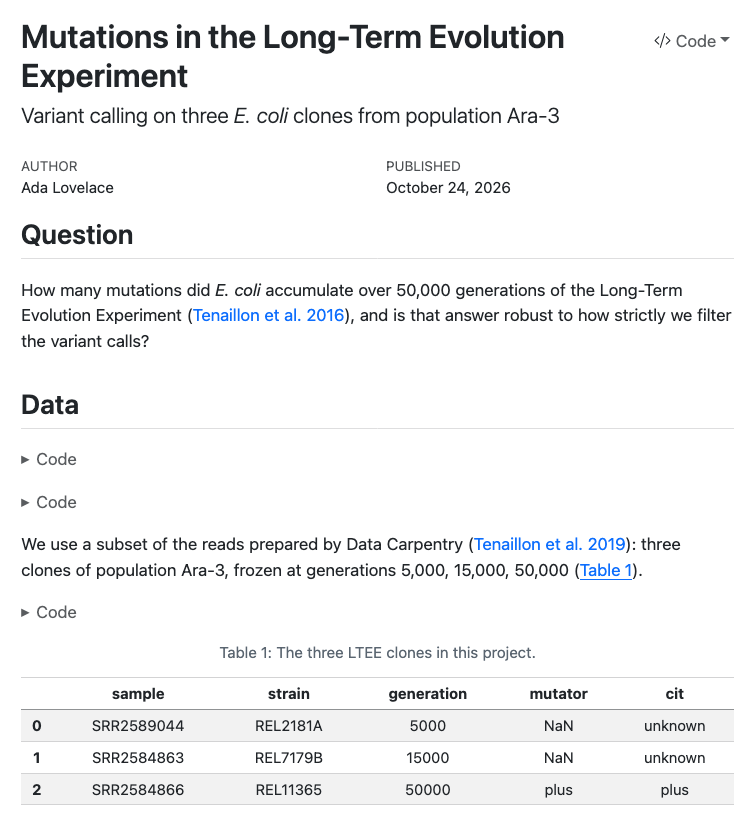
One command, many outputs
Rendering
In this course: pixi run quarto render ..., so the report uses the project’s Python. VS Code, Positron and RStudio also have a Render button.
Output formats
- Documents: HTML, PDF (Typst or LaTeX), Word, Jupyter notebooks
- Presentations: reveal.js (these slides), PowerPoint, Beamer
- Websites, books and blogs (this course site)
- Journal articles, with journal templates
- Interactive documents (Observable JS, Shiny)
- Your own custom formats
Quarto and R Markdown
- Quarto is a command-line tool; R Markdown is an R package
- Quarto works the same with Python, R, Julia and Observable JS
- Everything is built in: slides, websites and books need no extra packages
- Quarto renders most R Markdown (
.Rmd) files as they are - R Markdown is still maintained, but new features go into Quarto
Think, pair, share
3 minutes. Look at the last paper you read or wrote.
- Which numbers in the text were typed by hand?
- If the data changed tomorrow, which would be wrong?
Quiz
- You defined
samplesin your Python console. Your report usessamplesbut never defines it. What happens on render?- it works (b)
NameError, the render fails (c) Quarto asks for the value
- it works (b)
- Where should a number like “175,000 read pairs” in your report come from?
- typed from the terminal output (b) an inline
{python}expression (c) a comment
- typed from the terminal output (b) an inline
Recap
- Literate programming: text and code in one document, rendered together
- Quarto runs the cells in a fresh session, top to bottom
- Never type a result: compute it inline
- Parameters and formats change the output, not the source
Now: tutorial 07.
Sources
- Tools for Reproducible Research, NBIS. CC BY 4.0. https://nbisweden.github.io/workshop-reproducible-research/
- Knuth DE (1984). Literate programming. The Computer Journal 27:97–111. https://doi.org/10.1093/comjnl/27.2.97
- Quarto: https://quarto.org/
- Figure ‘Quarto connects code with results’: NBIS, Tools for Reproducible Research, CC BY 4.0. Report screenshot: our LTEE example report, CC BY 4.0.
Text and slides CC BY 4.0 unless marked otherwise. Full list: Sources and credits.
CBIO7501: The Art of Reproducible Research - CC BY 4.0